
Objectives
Fix layout issues so schedule space can scale more features into it
and make it more useful.
Normalize shift view
Add space and consistency to new features.
Allow the tool to grow even further without breaking patterns.
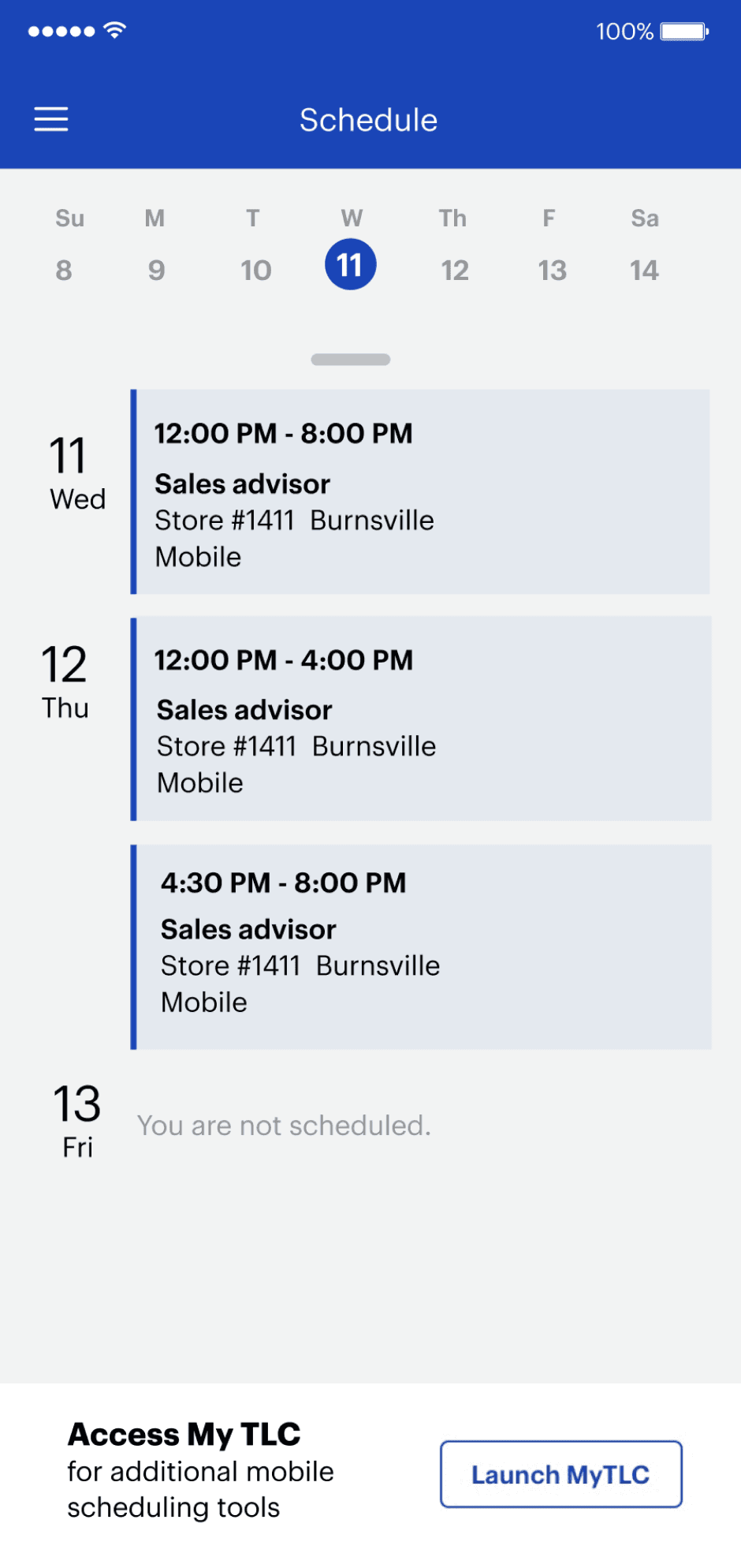
We added a tabbed functionality to the top of the Schedule space. One for agenda view (list view) and another for a month calendar view.
Whenever a user taps on a shift, no matter what view it is, they see the same modal that appears with new options for them.
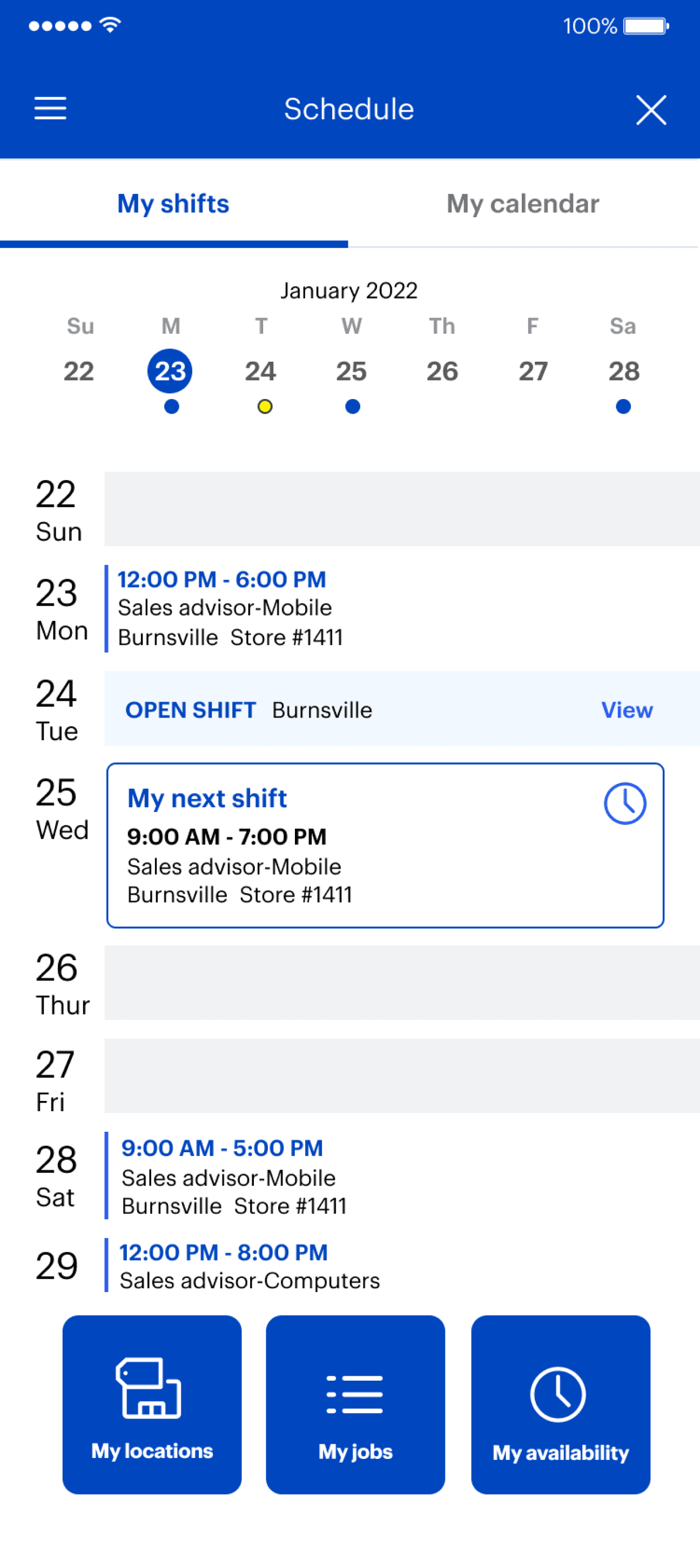
Agenda view
Users can now see all their shifts in a list.
We show them their next shift.
A user can now select any shift and get
options for changing their shifts.
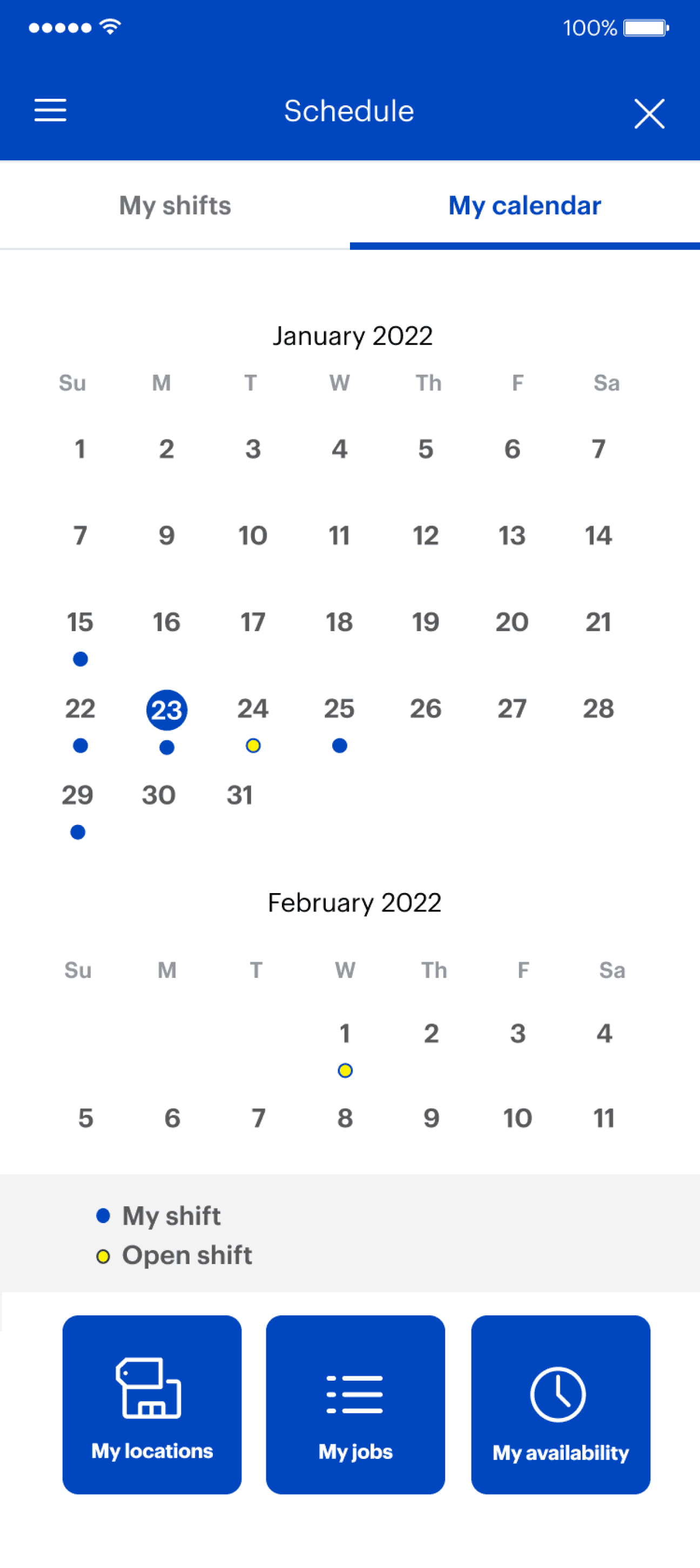
Calendar View
Users can now see all shifts for the next two
weeks at a glance.
Users can tap on a day and get more details in the new normalized shift view.
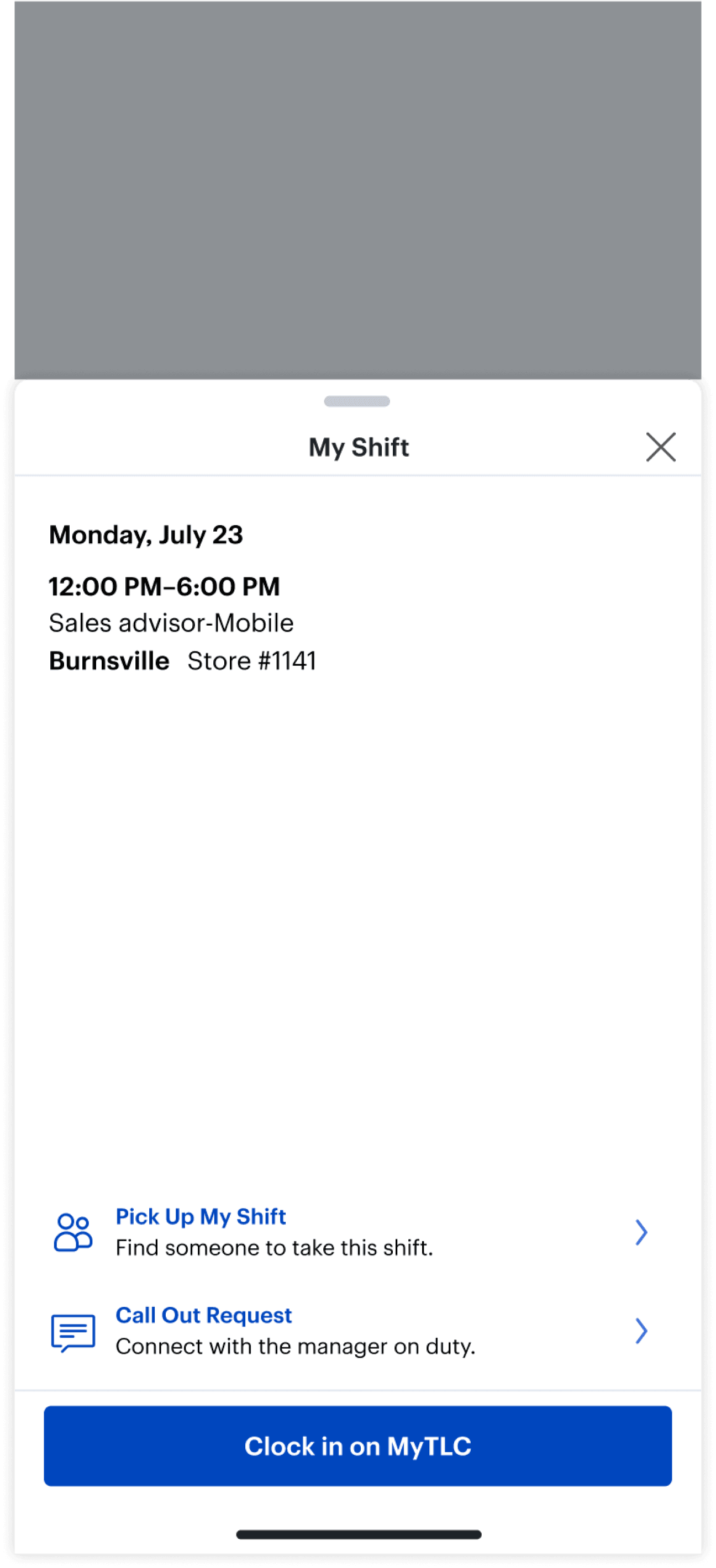
Shift View
When a shift is selected from either view we have a single view for how to view a shift.
We now have a space to add features for our
users to take control of their schedules
We unlocked a new area to add even more
functionality and unlock more flexibility for our users.
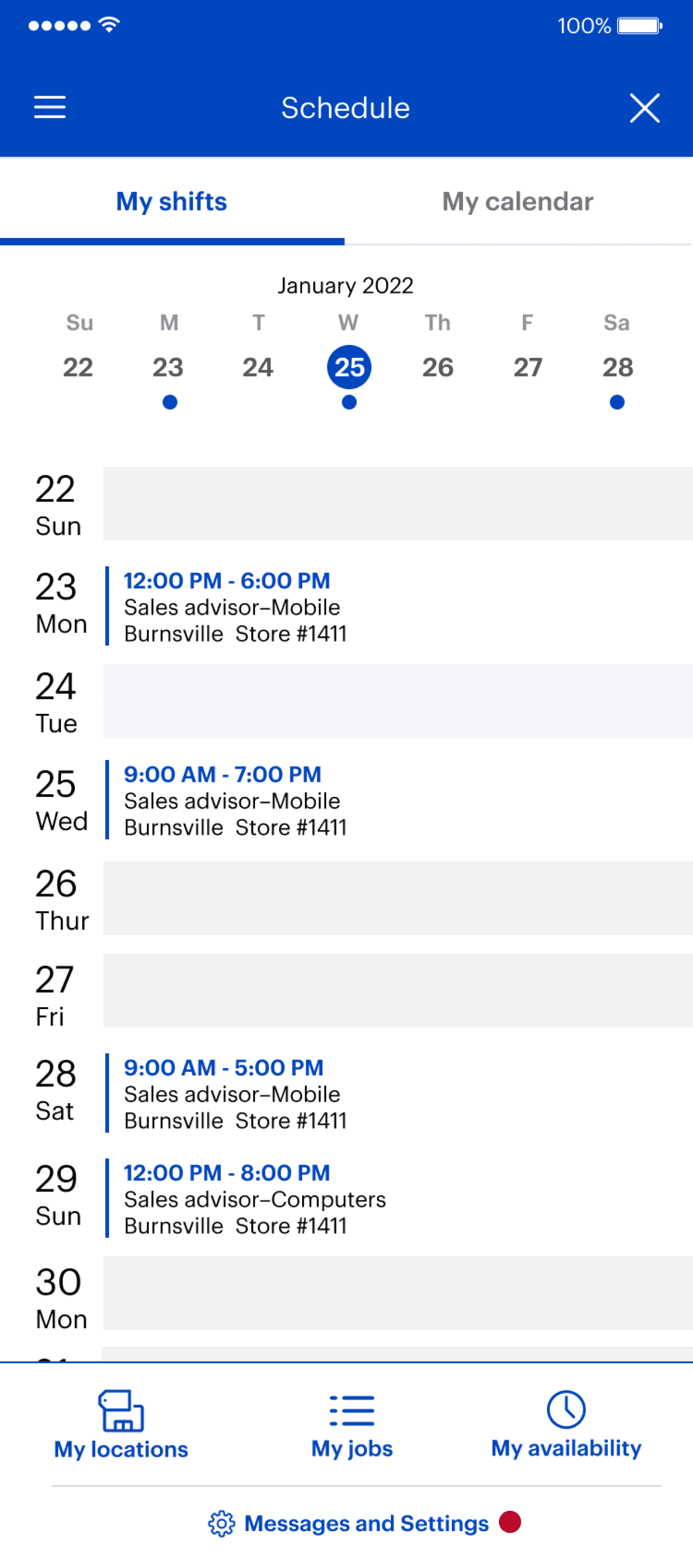
Availability Buttons
New layout for features that users need on hand.
Bringing in new setting space to insert larger
settings for a user's schedule (did not exist)
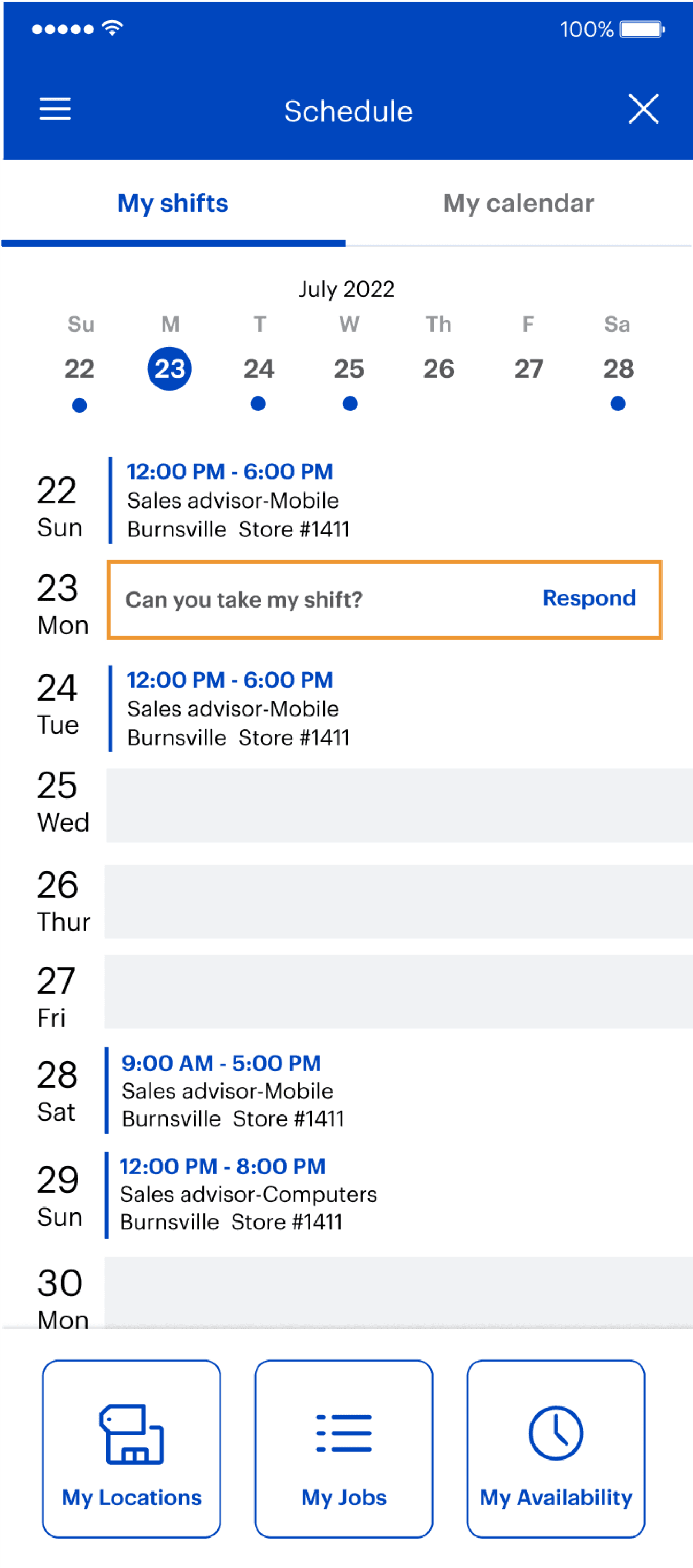
Receiving Shift Pickups
Users can receive shifts that their coworkers want them to pick up.
They are now able to respond in-app and take those shifts.
This relieved 30 minutes/callouts every time
someone needed to get their shift covered.
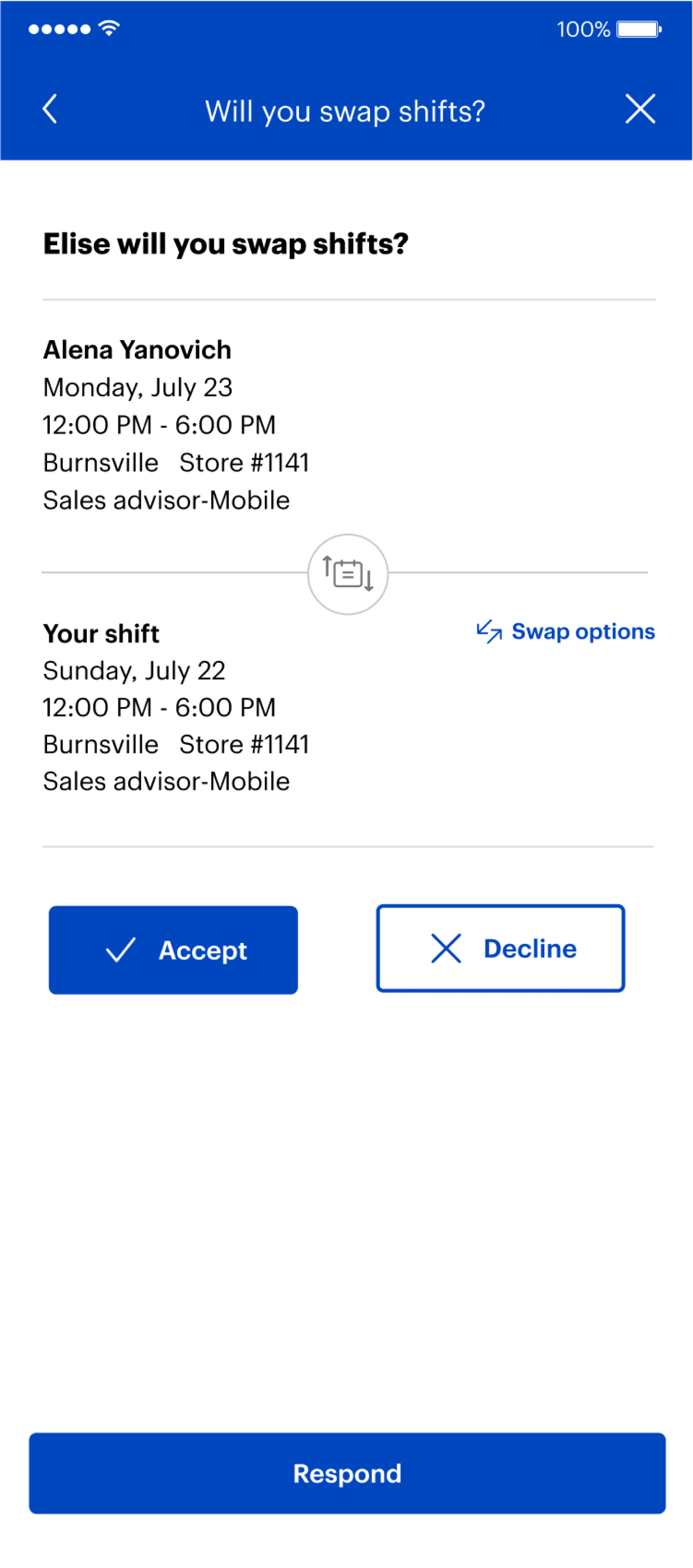
Swapping Shift
On top of being able to send shifts, users can find a shift to swap with their coworkers.
Rather than having to go back and forth,
employees can save time by making it a one time transaction.